How to Use AI With Selected Text Without Copying and Pasting
September 12, 2026
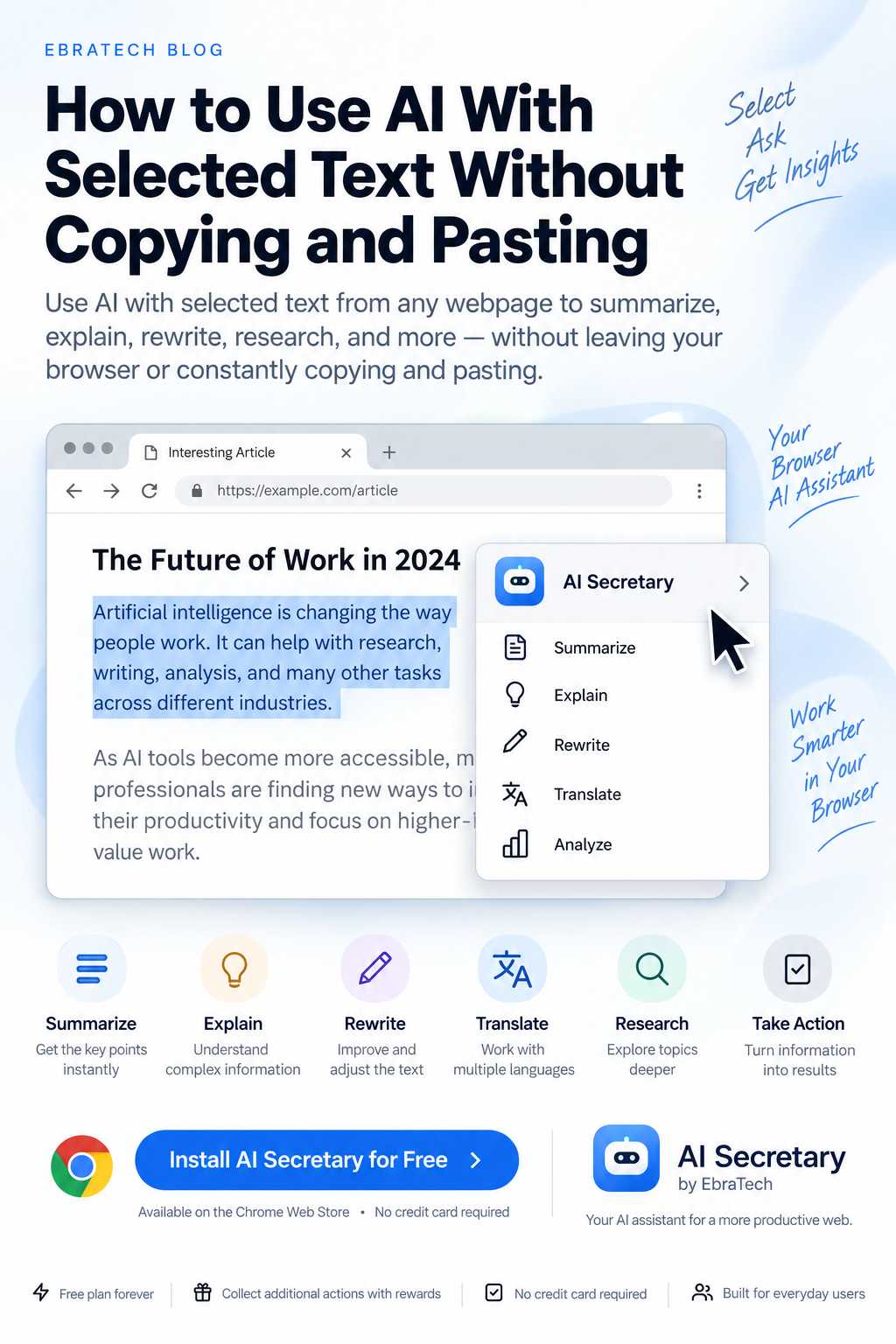
How to Use AI With Selected Text Without Copying and Pasting
How many times have you found useful information on a webpage and wanted to ask AI about it?
You might want AI to explain a paragraph, summarize an article, rewrite some text, translate a sentence, compare information, research a topic, or turn what you found into something useful.
But there is often an annoying problem between finding the information and getting help from AI.
You have to select the text, copy it, open an AI website, paste it, write a prompt, wait for the answer, and then return to the webpage.
If you do this occasionally, it may not seem like a big problem. If you use AI throughout your working day, however, these small interruptions can become a significant source of friction.
A better approach is to make the information you are already reading part of your AI workflow.
In this guide, we'll look at how selected text can be used with AI for everyday research, writing, learning, development, business, job searching, real estate, and other browser-based tasks.
Why Selected Text Is So Useful for AI
AI works better when you provide the right context.
Compare these two prompts:
“Explain this concept.”
and:
“Explain the selected section of this webpage in simple language and give me a practical example.”
The second request gives the AI a clear source of context.
Selected text can tell an AI assistant exactly which part of a webpage you are interested in.
You don't necessarily need to provide the entire webpage. You can select the specific information that matters.
This can be particularly useful when a webpage contains hundreds or thousands of words but you only need help with one paragraph, section, table, definition, product description, requirement, or statement.
The Traditional Copy-and-Paste Workflow
The traditional process looks like this:
- Find useful information on a webpage.
- Select the text.
- Copy the text.
- Open an AI service.
- Paste the text.
- Write a prompt.
- Wait for the answer.
- Return to the original webpage.
There is nothing wrong with this method.
The problem is repetition.
If you perform this process twenty or thirty times during a workday, you are repeatedly interrupting your workflow just to transfer information from one place to another.
The more natural workflow is:
Browse ? Select ? Ask ? Analyze ? Act
The information is already in your browser. The AI workflow should make use of that context as efficiently as possible.
What Can You Do With Selected Text?
Selected text can be useful for much more than summarization.
You can use it as the starting point for many different AI tasks.
- Summarize information
- Explain difficult concepts
- Rewrite text
- Correct grammar
- Change the tone
- Translate content
- Analyze information
- Compare information
- Extract important details
- Create questions
- Create checklists
- Research a subject
- Generate ideas
- Prepare a response
- Turn information into an action plan
The important part is that you are not limited to one predefined action.
The selected text becomes context for whatever task you want to perform.
1. Summarize a Long Webpage
Imagine you are reading a long article and only want the most important information.
You can select the relevant section and ask AI:
“Summarize this in five bullet points and identify the most important conclusion.”
This can save time when you need to understand the main idea without rereading the entire section.
You can also make the output more specific:
“Summarize this for someone who has no technical background.”
Or:
“Summarize this and list the three practical actions I should take.”
The quality of the result depends heavily on the context and instructions you provide.
2. Explain Difficult Information
Sometimes you don't need a summary.
You simply need someone—or something—to explain what you are reading.
This is particularly useful when reading:
- Technical documentation
- Academic material
- Legal information
- Financial explanations
- Software documentation
- Research papers
- Industry reports
- Complex news articles
Select the difficult section and ask:
“Explain this in simple language without removing the important technical details.”
You can then ask a follow-up question based on the explanation.
This creates a much more interactive way of learning from the web.
3. Rewrite Selected Text
Writers and professionals often find text online that gives them an idea of how they want to communicate something.
Instead of manually rewriting it, AI can help transform the selected content.
For example:
“Rewrite this in a professional tone.”
Or:
“Make this shorter and easier to understand.”
Or:
“Rewrite this for a general audience.”
You can also provide additional instructions:
“Rewrite this as a concise explanation for a customer who is not familiar with the subject.”
This is useful for marketing, customer support, sales, education, and everyday communication.
4. Improve Grammar and Writing
You can also use selected text as the starting point for writing improvement.
For example:
“Correct the grammar without changing the meaning.”
Or:
“Improve the clarity and make this sound more natural.”
Or:
“Make this professional but friendly.”
This can be useful when writing messages, emails, applications, comments, proposals, and other online communication.
The advantage is that you can work with the exact text that is already in front of you.
5. Translate Selected Text
When browsing websites in another language, you may not want to translate the entire page.
You might only need one sentence, paragraph, product description, or technical explanation.
Select the relevant text and use an AI or web translation workflow.
For example:
“Translate this into English and preserve the original meaning and technical terminology.”
You can also ask for additional context:
“Translate this into natural English and explain any expressions that may not translate literally.”
This can be useful for international research, travel, business, education, and multilingual work.
6. Research Something You Just Found
One of the most powerful uses of selected text is turning something you just discovered into a research task.
Imagine you are reading an article and encounter a company, technology, product, person, or concept you don't know.
Select the relevant information and ask:
“Research this topic and explain why it is important.”
Or:
“What should I investigate further based on this information?”
This changes browsing from a simple reading activity into an active research workflow.
You discover something ? select it ? ask a question ? investigate further.
7. Compare Information From Different Websites
Online research often involves comparing information.
You might compare:
- Products
- Services
- Companies
- Software
- Courses
- Properties
- Job opportunities
- Technical approaches
Selected information can provide the context for a comparison.
For example:
“Analyze this information and list the factors I should compare with competing products.”
Or:
“Identify the important specifications in this text and create a comparison checklist.”
AI can help organize the information, but important facts should still be checked against the original sources.
8. Use Selected Text With Custom AI Actions
Not every task needs a completely new prompt.
If you repeatedly perform the same operation, creating a reusable AI action can make the workflow much faster.
For example, suppose you regularly research companies.
Instead of writing a new prompt every time, you could have a reusable instruction such as:
“Analyze the selected company information. Extract the company name, products, target customers, business model, and important competitive information.”
Then you can use that action whenever you encounter relevant information.
This is especially useful for people who perform repetitive research or writing tasks.
9. Developers Can Use Selected Text With Documentation
Developers spend a large amount of time reading online information.
Documentation, API references, GitHub issues, Stack Overflow discussions, tutorials, error messages, and technical articles can contain information that is difficult to understand quickly.
Instead of copying technical sections into an AI service, developers can use selected text as context.
For example:
“Explain this API documentation and show me the important implementation requirements.”
Or:
“Explain this error message and list the most likely causes.”
Or:
“Compare the two approaches described here and explain their trade-offs.”
Or:
“Turn this documentation into a step-by-step implementation checklist.”
This is one reason browser-based AI assistance can be particularly useful for developers.
For more ideas, see How Developers Can Use AI While Browsing the Web.
10. Real Estate Agents Can Work With Property Information
Real estate professionals constantly work with information from websites.
They may review property listings, descriptions, amenities, locations, neighborhood information, market reports, and competitor listings.
Selected text can become the starting point for useful AI tasks.
For example:
“Turn this property description into a concise client-friendly summary.”
Or:
“Identify questions a buyer should ask about this property based on the information provided.”
Or:
“Extract the important property features from this description.”
Or:
“Identify information that is missing and should be verified before presenting this property to a client.”
The agent remains responsible for verifying property information, but AI can help reduce repetitive research and writing work.
11. Job Seekers Can Work With Job Descriptions
Job searching is another activity that happens heavily in the browser.
A job seeker may open dozens of job listings and repeatedly analyze requirements.
Instead of manually copying each job description into an AI service, selected information can be used as context.
For example:
“Extract the most important skills required for this position.”
Or:
“Compare these requirements with my existing skills and identify gaps I should address.”
Or:
“Create a checklist of the qualifications I should demonstrate in my application.”
Or:
“Identify the most important responsibilities in this job description.”
This can make repetitive job research more manageable.
12. Students Can Learn More Efficiently
Students often encounter difficult explanations while browsing articles, educational websites, research papers, and documentation.
Selected text can be used to ask AI for a different explanation of the same material.
For example:
“Explain this as if I am learning the subject for the first time.”
Or:
“Create five questions to test my understanding of this section.”
Or:
“Give me a simple example that demonstrates this concept.”
Or:
“Turn this section into study notes.”
This approach can make online learning more interactive.
13. Sales and Marketing Teams Can Research Faster
Sales and marketing professionals frequently research companies, customers, competitors, products, industries, and market trends.
Selected webpage information can provide useful context for AI-assisted research.
For example:
“Analyze this company information and identify potential business needs.”
Or:
“Summarize this company for a sales representative preparing for a meeting.”
Or:
“Identify possible questions a salesperson should investigate before contacting this company.”
Or:
“Turn this information into a concise research brief.”
The benefit is not simply generating more text. It is reducing the manual work required to turn online information into useful business context.
14. Use Links as Well as Selected Text
Sometimes selecting text is not enough.
You may want to share an entire webpage or a link with another tool or workflow.
This is why a useful browser assistant should support more than one way of working with information.
Depending on the task, you may want to work with:
- Selected text
- The current webpage
- Other open tabs
- Context files
- Links
The best method depends on what you are trying to accomplish.
If you only need one paragraph, selected text may be ideal.
If you need broader context, the webpage or multiple tabs may be more appropriate.
15. Reduce Tab Switching
One of the biggest hidden costs of AI-assisted work is constantly switching between applications.
You may have your research in one tab, your AI service in another tab, your email in another, and a web tool somewhere else.
Every switch creates a small interruption.
Individually, these interruptions seem insignificant.
Repeated throughout an entire workday, they can make your workflow feel unnecessarily complicated.
A browser-based AI workspace can reduce some of this friction by keeping useful actions closer to the information you are already viewing.
16. AI Secretary: Selected Text as a Starting Point
AI Secretary by EbraTech is designed to make browser-based AI workflows easier by working with the context you already have in your browser.
You can select content from a webpage and use it as context for AI-powered tasks such as summarizing, explaining, analyzing, comparing, rewriting, researching, and extracting information.
Instead of treating selected text as something you must manually copy into another application, it can become the starting point for an AI workflow.
AI Secretary also supports other browser context, including the current webpage, other open tabs, and context files, depending on the workflow you are building.
You can combine this context with reusable custom actions and additional instructions to create workflows for tasks you perform repeatedly.
For example, you could create a custom action for analyzing job descriptions, researching companies, summarizing technical documentation, preparing text, or extracting specific information from webpages.
You can learn more about these capabilities on the AI Secretary product page.
17. Use Your Preferred AI Services
A browser assistant doesn't necessarily need to replace the AI services you already use.
Different users have different preferences, and different AI services can be useful for different tasks.
AI Secretary is designed to work with compatible AI services and other AI systems so that you can build workflows around the tools that fit your needs.
This makes the browser workflow more flexible.
Instead of rebuilding your entire AI setup, you can focus on improving how information gets from your browser into the tasks you want to perform.
18. Create Custom Website Tools
Selected text isn't only useful for AI.
You may want to send information to other websites and online tools.
For example, selected information could be useful for:
- Translation tools
- Search engines
- Maps
- Research websites
- Calculators
- Language tools
- Other websites you use regularly
AI Secretary supports customizable website tools using URL templates, allowing users to create shortcuts for websites and services they frequently use.
This can turn a repetitive browser task into a much simpler workflow.
19. Privacy Still Matters
Convenience should not mean sending every piece of information you see online to an AI service.
Before using any AI tool with webpage content, consider what information you are providing and whether it contains sensitive or confidential data.
Avoid unnecessarily sharing:
- Passwords
- API keys
- Private authentication tokens
- Confidential company information
- Sensitive customer information
- Private financial information
- Other information you are not authorized to share
AI Secretary is designed with a privacy-focused approach, aiming to minimize unnecessary data collection and keep useful personal context local where possible.
You remain in control of the information and context you choose to use.
20. Build Your Own Selected-Text Workflow
The most useful workflow depends on what you do every day.
Start by identifying one task that you repeatedly perform.
Example: Research
Select important information ? Ask AI to summarize ? Generate follow-up questions ? Continue researching.
Example: Writing
Select text ? Ask AI to rewrite ? Review the result ? Copy or share the final version.
Example: Development
Select documentation ? Ask AI to explain ? Create an implementation checklist ? Start coding.
Example: Job Search
Select a job description ? Extract requirements ? Compare with your skills ? Prepare your application.
Example: Real Estate
Select property information ? Extract important details ? Identify questions ? Prepare a client summary.
The important idea is that the selected text is not the final result.
It is the context that starts the workflow.
21. You Can Try AI Secretary for Free
If you want to experiment with browser-based AI workflows, you don't need to immediately commit to a paid plan.
AI Secretary has a free plan that you can use without a credit card.
You can use the free plan to explore the extension and see whether working with selected text, webpage context, AI workflows, custom actions, and browser tools is useful for your everyday tasks.
AI Secretary also provides ways to collect additional actions through available rewards, including visiting EbraTech regularly. For many people with normal usage, the free plan combined with available rewards may provide enough capacity for everyday use.
If you need more capacity later, you can choose a paid option according to your needs.
Try AI Secretary for free from the Chrome Web Store
Frequently Asked Questions
Can I use AI with selected text from a webpage?
Yes. Selected text can be used as context for AI tasks such as summarization, explanation, rewriting, analysis, comparison, research, and information extraction.
How can I use AI with selected text without copying and pasting?
A browser-based AI assistant can make selected webpage text available as context for an AI workflow, reducing the need to repeatedly copy information into a separate AI website.
What can AI do with selected text?
AI can summarize, explain, rewrite, translate, analyze, compare, research, extract information, create questions, generate checklists, and perform many other tasks depending on the instructions you provide.
Can I use selected text with ChatGPT or another AI service?
A browser AI workflow can help prepare selected text and relevant browser context for compatible AI services and other AI systems. The exact capabilities depend on the AI service and workflow being used.
Can I create reusable actions for selected text?
Yes. AI Secretary supports custom actions that can contain reusable instructions and related information, making repeated tasks easier to perform.
Can AI Secretary work with the current webpage?
Yes. AI Secretary is designed to work with browser context including current webpage content and selected text. Depending on the workflow, it can also work with other open tabs and context files.
Can I use AI Secretary for research?
Yes. Selected webpage information can be used as context for research, analysis, summaries, comparisons, follow-up questions, and other research workflows.
Can I use AI Secretary for writing?
Yes. Selected text can be used for grammar correction, rewriting, summarization, changing tone, preparing responses, and other writing tasks.
Can developers use AI Secretary?
Yes. Developers can use browser context and selected text while reading documentation, GitHub discussions, technical articles, API references, and other development resources.
See How Developers Can Use AI While Browsing the Web for more developer-focused workflows.
Can real estate agents use AI Secretary?
Yes. Real estate professionals can use selected property information and webpage context for research, summaries, comparisons, client communication, and other repetitive browser-based tasks.
Does AI Secretary have a free plan?
Yes. AI Secretary offers a free plan that can be used without a credit card. Users can also collect additional actions through available rewards.
Do I need a credit card to try AI Secretary?
No. You can start with the free plan without entering a credit card.
Where can I install AI Secretary?
You can install AI Secretary from the Chrome Web Store and try the free plan.
Conclusion
Selected text is one of the simplest ways to give AI useful context.
Instead of opening an AI service with a blank prompt, you can start from information you are already reading.
You can select a difficult paragraph and ask AI to explain it.
You can select an article and ask AI to summarize it.
You can select a job description and extract its requirements.
You can select property information and prepare a client-friendly summary.
You can select technical documentation and create an implementation checklist.
You can select text and use it with a reusable custom action for a task you perform every day.
The bigger idea is simple:
Don't make your browser and AI two separate workflows when the information you need is already in your browser.
Use the context you already have, give AI a clear task, review the result, and then decide what to do next.
AI Secretary is built around this workflow:
Browse ? Select ? Ask ? Analyze ? Act ? Share
If you want to try this approach yourself, try AI Secretary for free from the Chrome Web Store. No credit card is required to start with the free plan.