How to Summarize Any Webpage With AI in Chrome
September 16, 2026
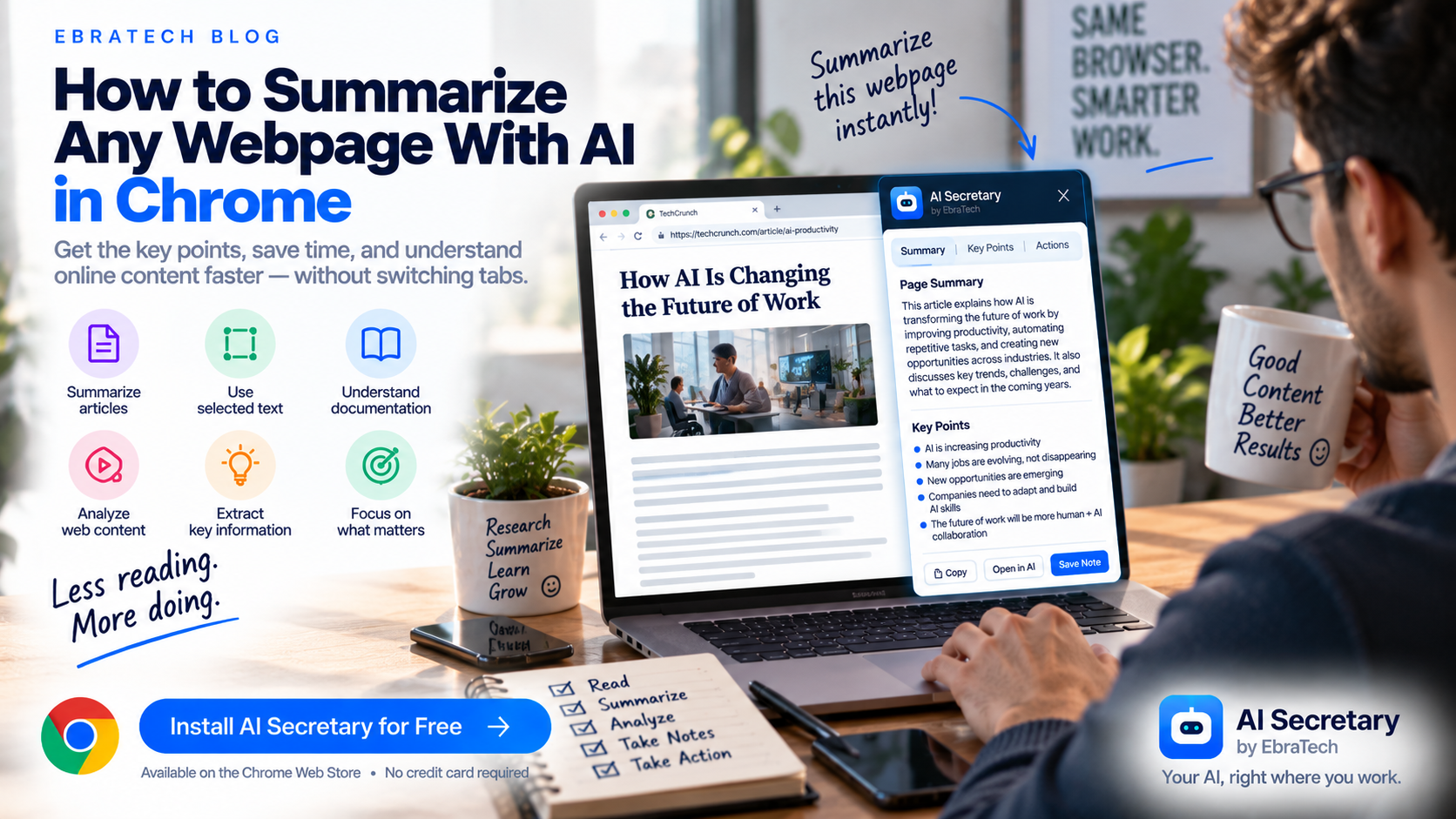
How to Summarize Any Webpage With AI in Chrome
The web contains more information than most people can realistically read every day.
You might open a long article, research a company, read technical documentation, review a product page, study an academic paper, investigate a news story, or compare several websites.
Often, you do not need to read every word immediately.
You first need to understand what the page is about, identify the important information, and decide whether it is worth deeper attention.
This is where AI-powered webpage summarization can be useful.
Instead of manually copying an article into an AI chatbot, you can use AI as part of your browser workflow and ask it to work with the webpage you are already reading.
Stop switching tabs to use AI.
In this guide, you will learn how to summarize webpages with AI, how to summarize selected text, how to summarize long articles, how to analyze research and documentation, how to create better summary prompts, and how a browser productivity extension such as AI Secretary by EbraTech can make the workflow easier.
Why Summarize Webpages With AI?
Not every webpage needs to be read from beginning to end before you can understand whether it is useful.
A quick AI summary can help you identify:
- The main topic
- The most important points
- Key arguments
- Important facts
- Major conclusions
- Important numbers
- Relevant sections
- Questions that require further research
This can be particularly useful when researching a topic across many websites.
Instead of spending ten minutes reading every page just to determine whether it is relevant, you can create an initial overview and then investigate the important information yourself.
What Is AI Webpage Summarization?
AI webpage summarization means using an AI system to analyze information from a webpage and produce a shorter representation of the important content.
The summary can take different forms.
You could ask for:
- A short paragraph
- Bullet points
- A detailed summary
- A section-by-section overview
- Key facts
- Main arguments
- Important conclusions
- A beginner-friendly explanation
- A technical summary
- A summary for a specific audience
The best format depends on what you are trying to accomplish.
Do Not Just Ask AI to “Summarize This”
One of the simplest prompts is:
“Summarize this webpage.”
It can work, but it is often too vague.
A better prompt explains what information you actually need.
For example:
“Summarize this webpage in five bullet points and focus only on the information relevant to a small business owner.”
Or:
“Summarize this article and separate the author's main claims from the evidence used to support them.”
Or:
“Give me a concise summary of this webpage, followed by the five most important facts I should remember.”
The more clearly you define the purpose of the summary, the more useful the result can become.
How to Summarize a Webpage With AI
A simple workflow looks like this:
- Open the webpage in Chrome.
- Identify what you want to understand.
- Provide the webpage or relevant content as context to your AI workflow.
- Give AI a specific summarization instruction.
- Review the summary.
- Return to the original source for important details.
The important difference is that the AI task should be connected to the webpage you are already working with.
You should not have to treat the webpage and AI as completely separate environments every time you need assistance.
Summarize a Long Article With AI
Long articles can be difficult to scan quickly.
You can ask AI to create a structured overview.
For example:
“Summarize this article in 10 bullet points. Identify the main argument, supporting evidence, important examples, and final conclusion.”
This type of summary is more useful than simply asking for a shorter version of every paragraph.
You are telling AI what information matters.
Summarize a News Article
News articles can contain background information, quotes, context, and multiple claims.
A useful prompt might be:
“Summarize this article in five bullet points. Separate the reported facts, statements attributed to people or organizations, and the article's broader context.”
This encourages a more structured summary.
For important or sensitive information, always check the original reporting and relevant primary sources rather than relying only on an AI-generated summary.
Summarize Research Articles
Academic and technical articles often contain specialized terminology and complex structures.
AI can help create an initial overview before you read the paper more carefully.
Try:
“Summarize this research article. Identify the research question, methodology, major findings, limitations, and conclusion.”
You can then investigate the original paper in more detail.
For academic work, an AI summary should be treated as a reading aid rather than a replacement for the original research.
Summarize Technical Documentation
Developers frequently encounter long documentation pages when working with APIs, frameworks, libraries, cloud services, and software tools.
Instead of reading an entire documentation section before understanding whether it applies to your problem, you can ask AI to create a focused overview.
For example:
“Summarize this documentation and explain what this feature does, when it should be used, its required parameters, and the most important implementation considerations.”
You can also select a specific section and ask AI to explain it in simpler language.
For more developer-focused workflows, see How Developers Can Use AI While Browsing the Web.
Summarize Selected Text Instead of the Entire Page
Sometimes the entire webpage is not relevant.
You may only care about one paragraph, a section, a product description, or a specific statement.
In this situation, selected text can be better context than the entire webpage.
Select the relevant text and ask:
“Summarize this section in three bullet points.”
Or:
“Explain this selected text in simple language.”
Or:
“Extract the key facts from this selected section.”
Focused context can make the AI task more precise.
Summarize a Webpage for a Specific Audience
The same webpage can require completely different summaries depending on who will read it.
For example, you could ask:
“Summarize this article for a university student who is new to this topic.”
Or:
“Summarize this technical documentation for a software developer.”
Or:
“Summarize this business article for an executive who only has two minutes.”
Or:
“Summarize this product page for someone comparing several competing products.”
This changes the focus of the summary without changing the original source.
Turn a Webpage Into Actionable Notes
A summary does not always need to be a paragraph.
Sometimes you want information that you can immediately use.
For example:
“Turn this webpage into an actionable checklist.”
Or:
“Extract the important tasks mentioned in this article and organize them in priority order.”
Or:
“Convert the main recommendations from this article into a practical workflow.”
This changes AI from a summarization tool into a productivity assistant.
Summarize a Product Page
Product pages often contain a mixture of marketing language, specifications, features, benefits, pricing, and calls to action.
You can ask AI to separate these elements.
For example:
“Analyze this product page and summarize the product, target customer, key features, pricing information, main benefits, and important limitations mentioned on the page.”
This can be useful when comparing multiple products.
Summarize Job Listings With AI
Job seekers may read dozens of job listings during a search.
Each listing can contain different requirements and responsibilities.
AI can help turn a long listing into structured information.
For example:
“Summarize this job listing. Separate required qualifications, preferred qualifications, responsibilities, technical skills, education requirements, and important keywords.”
You can then use the structured information when deciding which listings deserve closer attention.
Summarize Company Websites
If you are researching companies, AI can help create an initial profile from website content.
Try:
“Summarize this company's website and identify what the company does, who it serves, its main products or services, its value proposition, and the industries it appears to target.”
This can be useful for business research, sales preparation, market research, job searches, and competitor analysis.
Summarize Several Sources
Sometimes one webpage is not enough.
You may have several articles or websites open and want to understand how they relate to one another.
Instead of summarizing each page independently, you can ask AI to compare the information.
For example:
“Compare the information from these sources. Identify the points they agree on, the major differences, and the questions that require further verification.”
This can be particularly useful for research.
However, when combining sources, make sure you know which source supports each important claim.
Use AI to Find the Most Important Part of a Webpage
You do not always need a complete summary.
Sometimes you simply need to know where to focus your attention.
Ask:
“Identify the three sections of this webpage that are most relevant to someone researching this topic and explain why.”
This can help you navigate long content more efficiently.
Ask AI to Extract Facts Instead of Summarizing
Summaries can sometimes hide useful details.
If your goal is research, extraction may be better.
For example:
“Extract all important numbers, dates, names, product specifications, and measurable claims from this webpage.”
Or:
“Create a table containing every product feature mentioned on this page.”
Extraction is particularly useful when you need structured information rather than a narrative summary.
Use AI to Explain Difficult Web Content
Sometimes the problem is not the length of the page.
The problem is complexity.
A technical, legal, financial, scientific, or academic webpage can be difficult to understand even when it is relatively short.
Select the difficult section and ask:
“Explain this in simple language without removing the important technical meaning.”
You can then follow up with:
“Give me a practical example.”
Or:
“What should I understand before reading the next section?”
This creates a more interactive reading workflow.
Create a Better Webpage Summarization Prompt
A reusable summarization prompt can save time when you perform the same task frequently.
For example:
“Analyze the provided webpage. Give me a concise overview, followed by the five most important points, important facts or numbers, the main conclusion, and three questions that I should investigate further. Do not invent information that is not supported by the provided content.”
You can modify this template depending on your profession.
Create Different Summary Prompts for Different Jobs
A student might need a study summary.
A developer might need a technical summary.
A marketer might need a customer and positioning summary.
A salesperson might need a company profile.
A researcher might need claims and evidence.
A job seeker might need job requirements.
Instead of using one generic prompt for everything, create several specialized workflows.
Use Reusable AI Actions
If you summarize webpages every day, repeatedly typing the same prompt is unnecessary.
A reusable AI action can turn a common task into a repeatable workflow.
For example, you could create actions such as:
- Summarize Article
- Summarize Documentation
- Extract Facts
- Analyze Product Page
- Analyze Job Listing
- Research Company
- Explain Selected Text
- Create Study Notes
Once the workflow exists, you can use it whenever the relevant situation appears.
How AI Secretary Helps With Webpage Summarization
AI Secretary by EbraTech is a lightweight Chrome/browser productivity extension designed to help users work with AI directly from the browser.
It is not an AI model.
Instead, it works alongside compatible AI services and helps connect those services with the webpages, selected text, prompts, and workflows you are already using.
This makes webpage summarization one of the natural use cases for the extension.
Use Current Webpage Context With AI
AI Secretary can work with browser context such as:
- Current webpage content
- Selected text
- Other open tabs
- Context files
This means the webpage you are already reading can become part of your AI workflow.
Instead of repeatedly asking yourself how to copy the relevant content into another AI website, you can work with the browser context directly.
Summarize Selected Text From Any Webpage
One of the simplest workflows is selecting text from the webpage.
Suppose you are reading a long article and find one section that you want to understand.
Select it and use it as context for an AI task.
You could ask:
“Summarize this selected text in three bullet points.”
Or:
“Explain this section as if I am a beginner.”
Or:
“Extract the important facts and claims from this text.”
This keeps the workflow focused.
Use AI Secretary With Your Preferred AI Services
AI Secretary is designed to work as a productivity layer around the AI services you already use.
Rather than presenting itself as another underlying AI model, it helps connect your browser workflow with compatible AI services and other tools.
This means the value comes from improving how you work with AI, not from asking you to replace every AI service you already use.
Turn Summarization Into a Larger Workflow
Imagine you are researching a topic.
You find an article.
You summarize it.
Then you discover that one part needs more research.
You search for another source.
You compare the information.
You translate a relevant section.
You calculate something.
You write notes.
Finally, you share the findings with someone else.
These are not isolated tasks.
They are one workflow.
AI Secretary is designed around this idea:
Browse ? Select ? Ask ? Analyze ? Act ? Share.
Use Web Tools Alongside AI
Not every task after reading a webpage requires an AI conversation.
Sometimes you need a web search.
Sometimes you need translation.
Sometimes you need a map or location.
Sometimes you need a calculation or another knowledge query.
Sometimes you need pronunciation or language-learning assistance.
AI Secretary provides browser workflows for these types of web tools as well.
This can help you move from understanding information to doing something with it.
Share Information After Summarizing It
After summarizing information, you may want to send it somewhere.
For example, you may want to prepare information for an email, messaging workflow, collaboration tool, or another communication service.
AI Secretary can support communication workflows while keeping the user in control of the final recipient and sending action.
This is important because productivity should not mean giving up control over what gets sent and to whom.
Do Not Trust Every AI Summary Automatically
AI-generated summaries can contain errors.
An AI system may misunderstand a sentence, leave out an important qualification, misinterpret a technical concept, or present an inference as if it were a fact.
For important information, always compare the summary with the original source.
This is especially important for:
- Medical information
- Legal information
- Financial information
- Government information
- Employment decisions
- Academic research
- Technical implementation
A useful principle is:
AI summarizes ? You review ? You verify.
Why Context Matters for AI Summaries
The quality of a summary depends partly on what information the AI can access.
If the AI only receives a small fragment of an article, it may not understand the larger argument.
If you provide an enormous amount of irrelevant information, the task may become less focused.
This is why browser context and selected text can both be useful.
Use the webpage when you need the bigger picture.
Use selected text when you need focused analysis.
Use multiple sources when you need comparison.
Who Can Benefit From AI Webpage Summarization?
Almost anyone who spends significant time online can find useful applications for AI webpage summarization.
Students
Students can use AI to create initial overviews of articles, study materials, and difficult explanations, while following their school's or institution's rules regarding AI use.
Developers
Developers can summarize documentation, technical articles, API references, tutorials, and issue discussions.
Researchers
Researchers can create structured overviews of sources and identify areas that require deeper investigation.
Marketers
Marketers can analyze competitor pages, customer research, industry articles, and product information.
Sales Professionals
Sales professionals can research companies, products, industries, and prospects before conversations or meetings.
Job Seekers
Job seekers can summarize job descriptions and extract requirements, responsibilities, and important skills.
Business Owners
Business owners can quickly investigate competitors, products, market information, and industry developments.
Build a Personal Library of AI Browser Workflows
Once you start using AI in your browser regularly, you may notice that the same tasks appear again and again.
You might repeatedly summarize articles.
You might repeatedly analyze company websites.
You might repeatedly extract product features.
You might repeatedly explain technical documentation.
You might repeatedly rewrite selected text.
These repeated tasks are good candidates for reusable prompts and custom actions.
Instead of thinking about every task as a new AI conversation, build a small library of workflows around the work you actually perform.
Stop Switching Tabs to Summarize Webpages
The biggest problem with traditional AI webpage summarization is not necessarily the AI itself.
The problem is the workflow around it.
You are reading a webpage.
You need AI.
You open another tab.
You copy information.
You paste it into the AI.
You write a prompt.
You return to the webpage.
You repeat the process.
When this happens throughout the day, the small interruptions add up.
A browser AI productivity layer can bring the AI workflow closer to the information you are already using.
That is the idea behind AI Secretary by EbraTech.
Try AI Secretary for Free
If you regularly use AI while reading articles, researching websites, studying, working with documentation, or analyzing online information, AI Secretary can help make those workflows more convenient.
You can work with webpage context, selected text, other open tabs, prompts, custom actions, AI services, and useful web tools from your browser.
AI Secretary offers a free plan that you can use forever with no credit card required.
You can also collect actions through available rewards, including visiting the EbraTech website daily. For many people with normal usage, the free plan together with available rewards can provide enough actions for everyday use.
Try AI Secretary for free on the Chrome Web Store
No credit card is required.
Frequently Asked Questions
How can I summarize a webpage with AI?
You can provide the webpage content or relevant selected text to an AI service and ask it to create a summary based on your desired format, audience, or purpose.
Can ChatGPT summarize a webpage?
Yes, when ChatGPT has access to the relevant webpage information or content. A browser-based AI workflow can make it easier to provide the necessary context while you are already viewing the webpage.
How do I summarize selected text with AI?
Select the relevant text on the webpage and use it as context for an AI prompt such as “Summarize this in five bullet points” or “Explain this in simple language.”
Can AI summarize long articles?
Yes. AI can create concise or detailed summaries of long articles when the relevant content is available to it. You can also ask for specific information such as key arguments, facts, conclusions, or actionable recommendations.
Can AI summarize technical documentation?
Yes. AI can help summarize technical documentation and explain concepts, parameters, requirements, and implementation details.
Can AI summarize research papers?
Yes. AI can help create an initial overview of research papers, including research questions, methodology, findings, and conclusions. Important academic claims should still be checked against the original paper.
Can I summarize a webpage without copying and pasting?
A browser AI extension can reduce the need for manual copying and pasting by allowing webpage information or selected text to become part of the AI workflow directly from the browser.
Can I summarize only part of a webpage?
Yes. Selected text can be used when you want AI to focus on a particular paragraph or section instead of the entire webpage.
Can AI summarize multiple webpages?
AI can help compare or summarize information from multiple sources when the relevant content is provided as context. Important information should be verified against the original sources.
What is the best prompt for summarizing a webpage?
There is no single best prompt for every situation. A useful prompt should explain what you want from the page, such as key points, facts, conclusions, technical details, or actionable recommendations.
Is AI Secretary an AI model?
No. AI Secretary is a lightweight Chrome/browser productivity extension and workflow layer. It works alongside compatible AI services rather than being the underlying AI model.
Can I use AI Secretary for free?
Yes. AI Secretary has a free plan that can be used forever with no credit card required. Available rewards can also provide additional actions.
Where can I install AI Secretary?
You can install AI Secretary from the Chrome Web Store and start with the free plan.
Conclusion
Webpage summarization is one of the simplest ways to start using AI as part of your everyday browser workflow.
Instead of manually copying long articles into an AI chatbot, you can work with webpage context and selected text to create summaries, explanations, structured notes, extracted information, and follow-up research questions.
The most useful workflow depends on what you are trying to accomplish.
Use a full webpage when you need the broader context.
Use selected text when you need focused analysis.
Use multiple sources when you need comparison.
Create reusable prompts when you repeat the same task.
Use custom actions when a workflow becomes part of your regular work.
And always verify important information against the original source.
AI should not be another tab you constantly switch to.
It should be available where you already work.
Your AI, right where you work.
Learn more about AI Secretary by EbraTech and see how you can bring AI-powered browser workflows closer to the information you are already using.
Or start with the free plan today:
Try AI Secretary for free on the Chrome Web Store
No credit card is required.