How to Make Your Daily Work With AI Faster and Easier
September 12, 2026
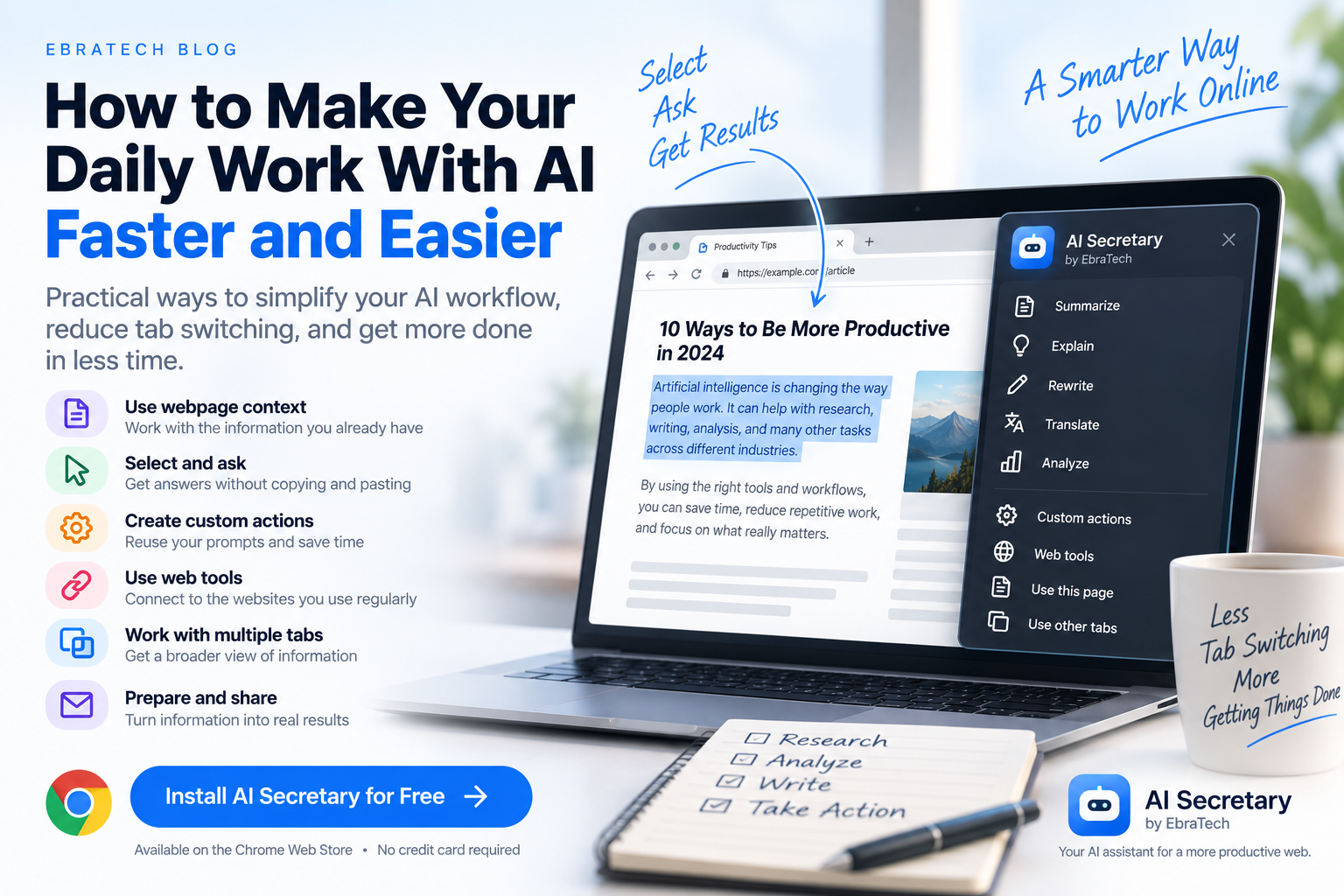
How to Make Your Daily Work With AI Faster and Easier
AI can make many types of work faster, but using AI every day can also create a new problem: too much switching between websites, applications, prompts, and browser tabs.
You may already use AI for writing, research, translation, analysis, coding, job searching, business tasks, communication, and learning. But if every task requires copying information from a webpage, opening an AI service, pasting the content, writing a prompt, copying the result, and returning to another website, your AI workflow can become more complicated than it needs to be.
The solution is not necessarily to use more AI tools. Often, the better solution is to make the tools you already use easier to access from the browser.
This article explains practical ways to simplify everyday AI work and shows how a browser-based assistant such as AI Secretary by EbraTech can help connect information, AI tasks, web tools, custom actions, and communication workflows in one place.
Why Using AI Can Become Complicated
Imagine you are researching a product online.
You find an interesting product page. You want AI to analyze the product, compare it with alternatives, identify its advantages and disadvantages, and help you decide whether it is worth considering.
The traditional workflow might look like this:
- Open the product page.
- Select the relevant information.
- Copy it.
- Open an AI website.
- Paste the information.
- Write a prompt.
- Read the response.
- Go back to the product page.
- Find another product.
- Repeat everything.
The AI itself may be extremely powerful. The problem is the workflow around it.
The same thing happens with job searches, real estate research, software development, sales research, online shopping, writing, education, and many other activities.
You are constantly moving information between places.
The Goal Should Be a Simpler AI Workflow
A useful AI workflow should make it easy to move from information to action.
Instead of:
Find information ? Copy ? Switch tabs ? Paste ? Prompt ? Copy result ? Switch back
You can aim for:
Browse ? Select ? Ask ? Analyze ? Act ? Share
This does not mean that every task should be automated.
It means reducing unnecessary manual steps while keeping the user in control.
1. Use the Information Already in Your Browser
Your browser already contains a huge amount of useful context.
When you are working online, you may have:
- A webpage you are reading
- Selected text
- Multiple open tabs
- Documents or context files
- Links to useful resources
- Information you want to send to another website
Instead of manually transferring all of this information to an AI service, a browser assistant can help you use the context you already have.
This is particularly useful when your task begins with browsing.
2. Stop Copying Entire Webpages When You Only Need One Section
Sometimes you only need a small part of a webpage.
For example, you may be reading a long article and encounter one paragraph that you don't understand.
You don't necessarily need the entire article.
Select the relevant paragraph and ask AI:
“Explain this in simple language and give me an example.”
Or:
“Summarize this section and identify its main conclusion.”
Or:
“Rewrite this so that a non-technical reader can understand it.”
Selected text gives the AI a more focused source of context.
3. Use AI While You Browse
One of the biggest opportunities for browser-based AI is using AI at the moment you need it.
You don't always need to stop browsing and move to a separate application.
You may be researching a company, reading documentation, looking at a property, reviewing a job description, or comparing products.
When something catches your attention, you can use it as the starting point for an AI task.
For example:
- “Summarize this.”
- “Explain this.”
- “Compare this with alternatives.”
- “Extract the important information.”
- “What questions should I ask?”
- “Research this topic further.”
- “Rewrite this professionally.”
This turns the browser from a place where you only consume information into a workspace where you can analyze and act on information.
4. Create Reusable AI Actions
One of the biggest mistakes people make with AI is writing the same type of prompt again and again.
If you perform a task frequently, you should consider turning the instructions into a reusable action.
For example, imagine you regularly analyze job descriptions.
You might normally write:
“Analyze this job description, identify the most important skills, list the responsibilities, and tell me which qualifications appear to be essential.”
If you do this every day, you don't need to recreate the instruction every time.
A reusable custom action can contain the instructions you normally use.
Then the workflow becomes much simpler:
Select job description ? Run your job-analysis action ? Review results
This idea can be applied to almost any repetitive AI task.
5. Build Actions Around the Work You Actually Do
Custom actions become more useful when they are designed around your real workflow.
A developer might create actions such as:
- Explain technical documentation
- Analyze an error message
- Review an API description
- Create an implementation checklist
- Summarize a technical article
A real estate professional might create:
- Analyze property descriptions
- Extract property features
- Create a client summary
- Identify missing property information
- Prepare questions for a property viewing
A sales professional might create:
- Research a company
- Summarize a prospect
- Identify potential business needs
- Prepare meeting questions
- Analyze competitor information
A student might create:
- Explain difficult text
- Create study notes
- Generate practice questions
- Explain technical concepts
- Create flashcards
The value comes from matching AI to the tasks you repeatedly perform.
6. Make Web Tools Part of the Workflow
Not every task needs an AI model.
Sometimes you simply need a web tool.
You might want to translate something, search for additional information, find a location, calculate something, check pronunciation, or use another specialized website.
Switching between different websites for every small task can make browsing slower.
A browser assistant can provide shortcuts to the tools you use frequently.
For example, selected text could be sent to a translation tool, search engine, map service, calculator, research website, or language-learning tool.
This means the workflow isn't limited to AI.
It can connect browsing with the online tools you already use.
7. Use Custom Website Tools
Many people have websites that they use repeatedly.
You might have a favorite search engine, research service, translation website, map service, internal company tool, or another website where you frequently enter text.
If a website supports information through its URL, a customizable URL template can turn it into a shortcut.
Instead of repeatedly opening the website and manually entering information, you can create a workflow that sends selected or prepared text directly to the service.
This is especially useful for repetitive browser work.
8. Work With More Than One Browser Tab
Real online work rarely happens on a single webpage.
You may be comparing information from several websites at the same time.
For example, when researching a product, you might have:
- The manufacturer's website
- A retailer
- A review website
- A comparison page
- A discussion forum
When researching a company, you might have:
- The company website
- Its product pages
- News articles
- Professional profiles
- Industry reports
Having access to multiple browser tabs as context can make AI-assisted research more useful because you can work with information from the broader browsing session instead of treating every webpage as an isolated task.
9. Make Communication Easier
AI-generated information often needs to go somewhere next.
You might need to send a message, prepare an email, share information with a colleague, or communicate with a customer.
This creates another common workflow:
AI response ? Copy ? Open communication website ? Paste ? Edit ? Send
A browser assistant can help prepare and move content into communication workflows while keeping you in control of the final recipient and sending action.
This distinction is important.
AI can help prepare the content, but the user should remain responsible for deciding what is sent and to whom.
10. Use AI for Research Without Losing the Source
AI can be very useful for research, but the original source remains important.
When you ask AI to analyze information from a webpage, you should still be able to return to the original source and verify important claims.
A good workflow is:
- Find the source.
- Use relevant content as AI context.
- Ask AI to analyze or organize it.
- Review the AI output.
- Return to the original source when verification matters.
- Take the next action.
AI should make research easier, not eliminate your judgment.
11. Developers Can Simplify Their AI Workflow
Developers often use AI while browsing documentation, repositories, technical articles, API references, and error discussions.
A developer might find a complicated section of documentation and immediately ask:
“Explain this and show me what I actually need to implement.”
Or select an error message and ask:
“Explain the likely cause and give me a debugging checklist.”
This can reduce the repetitive process of transferring technical information into an AI service.
For more developer-specific examples, see How Developers Can Use AI While Browsing the Web.
12. Real Estate Professionals Can Use AI While Browsing Listings
Real estate work involves large amounts of online information.
Agents may browse hundreds of listings, compare properties, research neighborhoods, review amenities, prepare client messages, and monitor competing properties.
AI can help with many of these tasks.
For example, an agent can select a property description and ask:
“Create a concise summary of this property for a potential buyer.”
Or:
“Extract the key features and identify information that needs to be verified.”
Or:
“Create five questions I should ask before recommending this property to a client.”
The goal is not to replace the agent's knowledge.
The goal is to help the agent process information faster and spend more time on clients, negotiation, and decisions.
13. Job Seekers Can Reduce Repetitive Research
Job seekers often repeat the same process for every position.
They open a job listing, read the requirements, copy information into an AI service, analyze their fit, and then prepare an application.
A reusable workflow can simplify this process.
For example:
Select job description ? Extract requirements ? Identify important skills ? Compare with your profile ? Prepare application points
Instead of creating a new prompt every time, a custom action can contain the instructions you normally use.
This can be particularly useful when applying to many positions.
14. Make Online Shopping More Efficient
Online shoppers often compare products across several websites.
You may want to know:
- What are the important specifications?
- What are the advantages and disadvantages?
- What information is missing?
- How does this product compare with another one?
- What questions should I ask before buying?
Instead of manually transferring product descriptions between websites and AI services, you can use webpage content as context.
AI can then help organize the information into a format that makes comparison easier.
You should still verify prices, specifications, availability, warranties, and other important purchasing information directly from the relevant seller or manufacturer.
15. Use AI Where the Work Happens
This is the central idea behind browser-based AI assistance.
If most of your work happens in the browser, your AI workflow should be able to interact with the browser context you are already using.
You shouldn't have to treat your browser and AI as completely separate environments.
The browser contains the information.
AI provides analysis and generation.
Web tools provide specialized functions.
Custom actions provide repeatability.
Communication tools help move the result into the next step.
Bringing these parts closer together can create a much simpler workflow.
16. How AI Secretary Brings These Workflows Together
AI Secretary by EbraTech is a browser productivity assistant designed to help users work with AI, web content, online tools, and communication services from one compact workspace.
It can work with browser context such as the current webpage, selected text, other open tabs, and context files.
You can use selected information as context for tasks such as:
- Summarization
- Explanation
- Analysis
- Comparison
- Rewriting
- Research
- Information extraction
You can also create custom actions with reusable instructions and related information.
This means you can build workflows around the tasks you perform regularly instead of starting from a blank prompt every time.
17. AI Secretary Is More Than an AI Chat Window
A useful browser assistant does not have to be another isolated chatbot.
AI Secretary is designed around the relationship between your browser, your information, your AI services, your web tools, and your actions.
You can use it to prepare commands, provide relevant context, access web tools, create custom website shortcuts, work with compatible AI services, and prepare information for communication workflows.
This makes it possible to build a workflow around what you are actually doing online.
18. You Can Connect Compatible AI Services
Different AI services have different strengths and different users have different preferences.
AI Secretary supports compatible AI services, web-based AI systems, APIs, and local AI systems so users can extend their workflow with the tools that fit their needs.
This provides flexibility instead of forcing every user into one AI workflow.
You can choose the services and tools that make sense for your particular tasks.
19. Keep Your Workflow Privacy-Focused
Making AI work easier should not mean sending unnecessary information everywhere.
When using AI with webpage content, always consider whether the information contains private, confidential, or sensitive data.
Do not unnecessarily share passwords, API keys, authentication tokens, confidential business information, private customer information, or other information you are not authorized to disclose.
AI Secretary is designed with a privacy-focused approach, aiming to minimize unnecessary data collection and keep useful personal context local where possible.
You remain in control of the information and context you choose to use.
20. Start With One Repetitive Task
You don't need to redesign your entire workflow immediately.
The easiest way to improve your AI workflow is to start with one task that you perform repeatedly.
Ask yourself:
- What information do I repeatedly copy into AI?
- Which prompts do I repeatedly write?
- Which websites do I repeatedly open?
- Which information do I repeatedly send to other people?
- Which type of research do I perform every week?
- Which task involves the most unnecessary tab switching?
Once you identify that task, create a simple workflow around it.
For example:
Problem: You repeatedly analyze job descriptions.
Solution: Select the job description ? run a custom action ? review the requirements ? prepare your application.
Or:
Problem: You repeatedly explain technical documentation to yourself.
Solution: Select the documentation ? ask AI for an explanation ? generate an implementation checklist.
Or:
Problem: You repeatedly prepare customer messages.
Solution: Select the relevant information ? use a reusable writing action ? review the message ? send it through your communication workflow.
21. Try AI Secretary With the Free Plan
You don't have to pay just to find out whether a browser-based AI workflow is useful for you.
AI Secretary offers a free plan that you can use without a credit card.
You can install the extension, try its browser context, selected-text workflows, custom actions, web tools, and other available features, and decide whether it fits the way you work.
AI Secretary also provides available rewards that can give users additional actions, including rewards for visiting EbraTech regularly. For many people with normal usage, the free plan combined with available rewards may provide enough capacity for everyday use.
If your usage eventually requires more capacity, paid options are available.
Try AI Secretary for free from the Chrome Web Store
Frequently Asked Questions
How can I make my daily AI work easier?
Start by reducing repetitive steps such as copying and pasting, switching between tabs, rewriting the same prompts, and repeatedly opening the same web tools. Browser context, selected text, reusable actions, and website shortcuts can help simplify these workflows.
How can I use AI without constantly copying and pasting?
A browser-based AI assistant can use information already available in your browser, such as selected text and webpage content, as context for AI tasks.
Can I use AI while browsing the web?
Yes. Browser-based AI workflows can allow you to select information, provide webpage context, and use AI while continuing to work with the websites you are already visiting.
Can I create reusable AI prompts?
Yes. AI Secretary supports custom actions that can contain reusable instructions and related information for tasks you perform repeatedly.
Can I use AI with multiple browser tabs?
AI Secretary is designed to work with browser context including other open tabs, depending on the workflow and information you choose to provide.
Can I send selected text to web tools?
Yes. AI Secretary includes web tools for activities such as translation, web search, research, maps and locations, calculations, pronunciation, and language learning.
Can I create shortcuts for websites I use regularly?
Yes. AI Secretary supports customizable website tools using URL templates so you can create shortcuts for websites and services you frequently use.
Can AI Secretary help with communication?
Yes. It can help prepare and share selected or prepared information through web-based communication workflows while keeping control of the final recipient and sending action with the user.
Can developers use AI Secretary?
Yes. Developers can use webpage content, selected text, documentation, other tabs, custom actions, and compatible AI services as part of their development workflow.
See How Developers Can Use AI While Browsing the Web.
Can real estate agents use AI Secretary?
Yes. Real estate professionals can use it for analyzing property information, preparing summaries, researching listings, extracting details, and creating repeatable workflows.
Is AI Secretary free?
AI Secretary has a free plan that can be used without a credit card. Users can also collect additional actions through available rewards.
Do I need a credit card to try AI Secretary?
No. You can start with the free plan without providing a credit card.
Where can I install AI Secretary?
You can install AI Secretary from the Chrome Web Store and try the free plan.
Conclusion
Using AI every day should make your work simpler, not create another complicated process of moving information between websites.
The biggest improvements often come from removing small repetitive steps.
Instead of copying an entire webpage, use the relevant selected text.
Instead of writing the same prompt every day, create a reusable action.
Instead of repeatedly opening the same web tools, create shortcuts.
Instead of treating every browser tab as an isolated task, use relevant browser context.
Instead of manually preparing every communication from scratch, use AI to help prepare the content while keeping control over the final action.
The result is a more connected workflow:
Browse ? Select ? Ask ? Analyze ? Act ? Share
That's the idea behind AI Secretary by EbraTech: helping you work with the information already in your browser and making everyday AI-assisted tasks easier to perform.
You can learn more about AI Secretary on the AI Secretary product page.
Or, if you want to see whether it fits your own workflow, try AI Secretary for free from the Chrome Web Store. No credit card is required to start.