How to Create Reusable AI Actions for Repetitive Tasks
September 12, 2026
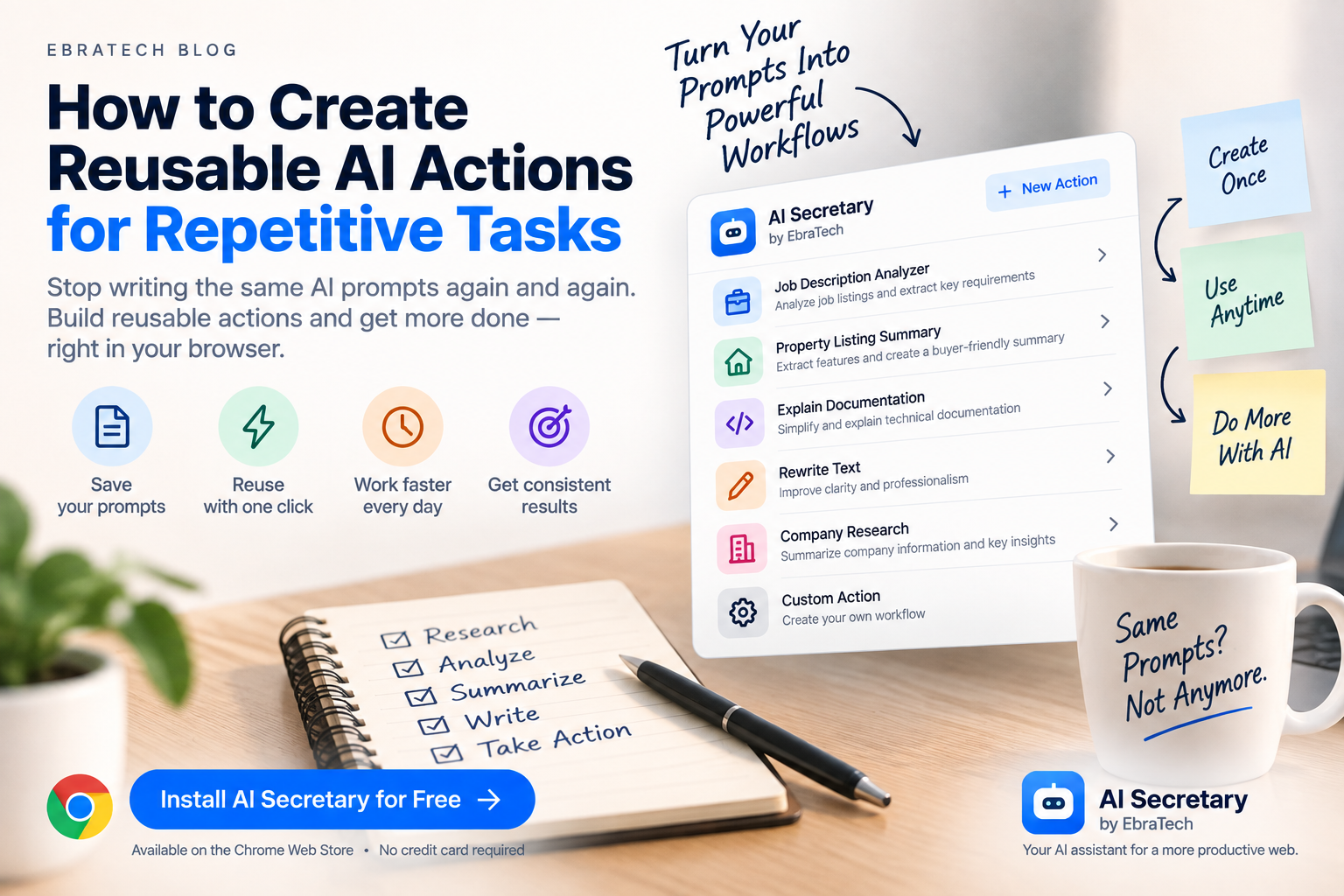
How to Create Reusable AI Actions for Repetitive Tasks
AI can save a huge amount of time, but many people still perform the same AI tasks manually every day.
You open a webpage, copy some information, open an AI service, write a similar prompt, wait for the result, copy the useful information, and then repeat the entire process the next time you encounter a similar task.
If you perform the same AI task regularly, there is a better approach: turn the task into a reusable AI action.
A reusable AI action can contain the instructions you normally use, along with additional information that helps produce the type of result you want.
Instead of starting from an empty prompt every time, you can start from a workflow that you have already designed.
This article explains what reusable AI actions are, why they are useful, how to design them, and how AI Secretary by EbraTech can help you use custom actions while browsing the web.
What Is a Reusable AI Action?
A reusable AI action is a saved set of instructions designed for a task that you perform repeatedly.
For example, imagine that you regularly analyze job descriptions.
Every time you find a new job, you might type:
“Analyze this job description. Identify the most important qualifications, required skills, responsibilities, and technologies. Tell me which requirements appear essential.”
If you perform this task 20 times, you may end up writing essentially the same instructions 20 times.
A reusable action allows you to save the instructions once.
Then your workflow can become:
Select job description ? Run Job Analysis ? Review results
The information changes from one job to another, but the instructions remain largely the same.
Why Reusable AI Actions Matter
The biggest advantage is consistency.
When you manually write prompts every time, the instructions can change slightly from one task to another.
You might forget an important requirement, change the format, or simply become tired of writing the same long prompt.
A reusable action gives you a repeatable starting point.
It can help you:
- Reduce repetitive prompting
- Save time
- Keep instructions consistent
- Standardize the format of results
- Build workflows around your real tasks
- Reduce unnecessary copying and pasting
- Make AI easier to use throughout the day
Find the Tasks You Repeat Most Often
The best candidates for reusable AI actions are tasks that have three characteristics:
- You perform them regularly.
- The instructions are similar each time.
- The information being processed changes.
For example, analyzing one job description and another job description are different tasks, but the basic analysis process may be almost identical.
The same applies to analyzing property listings, product pages, technical documentation, company websites, and research articles.
Look at your normal work and ask:
- Which prompts do I write repeatedly?
- Which information do I analyze repeatedly?
- Which webpages do I process in the same way?
- Which task requires the same questions every time?
- Which AI result do I always want in the same format?
Those are excellent candidates for reusable actions.
Example: A Job Search AI Action
Job seekers often process many job listings.
A reusable job-analysis action could instruct AI to:
- Identify the job title
- Extract required qualifications
- Extract preferred qualifications
- List important technical skills
- Summarize responsibilities
- Identify potentially important keywords
- Highlight information that should be researched further
Once the action is created, the user can provide a different job listing as context each time.
The workflow becomes:
Open job listing ? Select relevant information ? Run job-analysis action ? Review results
This is much more practical than writing a new long prompt for every position.
Example: A Real Estate AI Action
Real estate professionals can also create reusable actions around property listings.
For example, an action could instruct AI to:
- Extract property features
- Summarize the listing
- Identify important amenities
- Identify missing information
- Generate questions for the agent
- Prepare a buyer-friendly summary
When a new property is found online, the agent can use the same workflow.
This can be particularly useful for professionals who review many listings every week.
AI does not replace the agent's knowledge or verification process. Instead, it helps process repetitive information faster.
Example: A Developer AI Action
Developers often encounter similar types of technical problems.
A developer could create reusable actions for:
- Explaining documentation
- Analyzing error messages
- Reviewing API documentation
- Creating debugging checklists
- Explaining unfamiliar code
- Comparing implementation approaches
- Creating technical summaries
For example, an action called Explain Documentation could instruct AI to:
- Explain the selected documentation in simple language.
- Identify the important concepts.
- List required parameters or dependencies.
- Explain common mistakes.
- Provide a practical implementation example when appropriate.
When the developer finds another difficult section of documentation, the same action can be reused.
For more information about using AI during web browsing, see How Developers Can Use AI While Browsing the Web.
Example: A Writing Action
Writers, marketers, business owners, and professionals frequently need to transform text into different formats.
You might regularly need to:
- Rewrite text professionally
- Correct grammar
- Make text shorter
- Make writing more persuasive
- Convert notes into an email
- Turn technical information into simple language
- Create social media content
Instead of creating a new prompt every time, create an action with the instructions and preferred output format.
For example:
Professional Rewrite
The action could instruct AI to preserve the original meaning, improve clarity, remove unnecessary words, correct grammar, and maintain a professional but natural tone.
Then you simply provide the text you want to transform.
Example: A Research Action
Research is another area where reusable AI actions can be extremely useful.
A research action might instruct AI to:
- Summarize the provided information
- Identify the main claims
- Separate facts from opinions
- Identify questions that require further research
- Extract important entities and topics
- Create a structured research brief
This can be useful for business research, academic research, competitor analysis, market research, and everyday information gathering.
Combine Reusable Actions With Selected Text
Reusable actions become especially powerful when combined with selected webpage content.
Instead of manually copying information into your AI service, you can select the relevant information and use it as context for your action.
For example:
Select product description ? Run Product Analysis ? Receive structured analysis
Or:
Select job requirements ? Run Job Analysis ? Receive structured requirements
Or:
Select documentation ? Run Explain Documentation ? Receive explanation
The action provides the instructions.
The selected text provides the changing information.
This combination creates a reusable workflow.
Why Browser Context Makes Custom Actions More Useful
Many repetitive AI tasks begin in the browser.
You find the information first and then decide what to do with it.
That information could come from:
- A webpage
- A job listing
- A product page
- A real estate listing
- Technical documentation
- A company website
- An article
- A research page
- Another open browser tab
- A context file
When your reusable action can work with browser context, the workflow becomes more natural.
You don't have to treat the browser and AI as two completely separate environments.
Custom Actions Can Include Additional Instructions
A reusable action does not have to be only one sentence.
You can design the instructions around the type of result you actually need.
For example, a product-analysis action might tell AI to:
- Focus on specifications
- Identify advantages and disadvantages
- Highlight missing information
- Use a structured format
- Avoid making unsupported claims
- Clearly distinguish information from assumptions
This means you can build a workflow that reflects how you actually want AI to perform the task.
Create Different Actions for Different Situations
You don't need one giant AI prompt that tries to handle everything.
It is often better to create several focused actions.
For example, a business user might have:
- Company Research
- Competitor Analysis
- Email Preparation
- Meeting Summary
- Customer Message
- Website Content Review
A developer might have:
- Explain Documentation
- Debug Error
- Review Code
- Analyze API
- Create Technical Checklist
A job seeker might have:
- Analyze Job
- Compare Requirements
- Prepare Application
- Improve Resume Text
- Prepare Interview Questions
The objective is to create small tools for the tasks you actually perform.
Custom Actions Can Reduce AI Fatigue
Using AI repeatedly can itself become tiring when every task starts with writing instructions.
You may know exactly what you want, but still have to explain it to the AI again.
Reusable actions move some of that effort to the beginning.
You define the workflow once and then reuse it.
This is similar to creating a shortcut for a computer task.
The shortcut doesn't remove the task. It removes unnecessary repetition.
Use AI Actions Across Different Types of Work
The concept is not limited to one profession.
Anyone who performs repetitive AI-assisted work can potentially benefit.
For example:
- Students: explain, summarize, study, and generate practice questions.
- Developers: analyze documentation, errors, and technical information.
- Real estate agents: analyze listings and prepare property summaries.
- Sales professionals: research companies and prepare customer information.
- Marketers: analyze competitors and transform content.
- Writers: rewrite, summarize, edit, and structure information.
- Job seekers: analyze job listings and prepare application material.
- Researchers: summarize sources and structure research notes.
- Business owners: research companies, products, markets, and competitors.
Use Web Tools Alongside AI Actions
Not every action needs to be performed by an AI model.
Some workflows require specialized websites or online tools.
For example, after selecting information you might want to:
- Translate it
- Search for it
- Research it
- Find a location
- Calculate something
- Check pronunciation
- Use a language-learning service
A useful browser workflow can combine reusable AI actions with web tools rather than forcing every task through AI.
Use Custom Website Tools for Repetitive Web Tasks
You may also have websites that you use repeatedly.
If a service supports information through a URL structure, you can create a custom website tool using a URL template.
This can turn a frequently used website into a convenient shortcut.
For example, selected text could become part of a search or query sent to a website.
This is another way to turn repetitive browser tasks into reusable workflows.
How AI Secretary Supports Reusable AI Workflows
AI Secretary by EbraTech is a browser productivity assistant designed to help users work with AI, web content, online tools, and communication services from one compact workspace.
One of its important features is Custom Actions.
Users can create reusable commands for tasks they perform frequently and add additional instructions and related information to create personalized workflows.
These workflows can be used for activities such as:
- Research
- Analysis
- Writing
- Job searches
- Product comparisons
- Business research
- Technical work
- Information extraction
AI Secretary can also work with browser context including the current webpage, selected text, other open tabs, and context files.
This allows a reusable action to be combined with the information you are already working with in your browser.
From a Prompt to a Workflow
The important difference between a normal prompt and a reusable action is repetition.
A prompt is something you write for one task.
A reusable action is something you design for a category of tasks.
For example:
One-time prompt:
“Analyze this property and tell me the most important features.”
Reusable action:
“Whenever I provide a property listing, extract the property type, location, size, bedrooms, bathrooms, important amenities, notable features, missing information, and questions that should be verified.”
The second approach creates a repeatable process.
Keep the Human in Control
Reusable AI actions should make work easier without removing human judgment.
AI-generated results can contain mistakes, misunderstandings, or unsupported conclusions.
Always review important information before using it for consequential decisions.
This is particularly important for financial, legal, medical, employment, business, and other high-impact decisions.
The best workflow is often:
AI prepares ? Human reviews ? Human decides ? Human acts
Protect Private Information
When creating AI workflows, think carefully about the information you provide.
Do not unnecessarily send passwords, authentication tokens, API keys, confidential customer information, private financial information, or other sensitive information to AI services or websites.
Only use information that you are authorized to process and share.
AI Secretary follows a privacy-focused approach designed to minimize unnecessary data collection and keep useful personal context local where possible.
You remain in control of the information and context you choose to use.
Try Custom Actions With AI Secretary
If you regularly use AI for the same types of tasks, AI Secretary can help you turn those repeated instructions into reusable browser workflows.
You can combine custom actions with selected text, webpage context, other open tabs, context files, web tools, custom website tools, compatible AI connections, and communication workflows.
The goal is simple:
Don't repeatedly rebuild the same AI workflow when you can create it once and reuse it.
Try AI Secretary for free on the Chrome Web Store
AI Secretary has a free plan that you can use without a credit card.
The free plan is available for ongoing use, and users can also collect additional actions through available rewards, including visiting the EbraTech website regularly. For many people with normal usage, the free plan combined with available rewards may provide enough capacity for everyday use.
Frequently Asked Questions
What is a reusable AI action?
A reusable AI action is a saved set of instructions designed for a task that you perform repeatedly. It allows you to reuse the same workflow instead of writing the same prompt from scratch.
How can I stop writing the same AI prompt repeatedly?
Create a reusable action containing the instructions you normally use. Then provide the changing information as context whenever you run the action.
Can reusable AI actions work with webpage content?
Yes. A browser AI workflow can combine reusable instructions with webpage content or selected text as context.
Can I create custom AI actions for my job?
Yes. Custom actions can be designed around professional workflows such as research, sales, real estate, software development, writing, marketing, job searching, and customer communication.
Can developers create their own AI actions?
Yes. Developers can create actions for explaining documentation, analyzing errors, reviewing technical information, researching APIs, and other repetitive development tasks.
Can real estate agents create AI actions?
Yes. Real estate professionals can create workflows for analyzing property listings, extracting features, preparing summaries, identifying missing information, and preparing client-related material.
Can I use selected text with a custom action?
Yes. AI Secretary is designed to allow selected webpage text to be used as context for AI-powered tasks, including workflows created with custom actions.
Can I use web tools together with custom actions?
Yes. AI Secretary includes web tools for translation, search, research, maps, calculations, pronunciation, and language learning, allowing users to combine different types of tools in their browser workflow.
Is AI Secretary free?
AI Secretary has a free plan that can be used without a credit card. Users can also collect additional actions through available rewards.
Where can I install AI Secretary?
You can install AI Secretary from the Chrome Web Store and start using the free plan without a credit card.
Conclusion
If you use AI regularly, you probably have tasks that you perform over and over again.
You may repeatedly analyze job descriptions, summarize articles, review documentation, research companies, compare products, rewrite text, analyze property listings, or prepare messages.
Writing the same prompt every time is unnecessary friction.
A better approach is to turn repeated instructions into reusable actions.
Then combine those actions with the information already available in your browser.
Find information ? Select context ? Run your action ? Review the result ? Take action
That is the kind of workflow that browser-based AI assistance can make easier.
If you want to build reusable AI workflows around your everyday browsing, learn more about AI Secretary by EbraTech.
Or start with the free plan:
Try AI Secretary for free on the Chrome Web Store
No credit card is required.